- Integrationhelp.figma.com
Use verified partner MCP connectors with the Figma agent and Figma Make
Figma introduced verified MCP connectors for its agent and Figma Make, enabling natural language access to external tools like Notion, GitHub, and Slack. Users can pull data into designs or push updat…
- Featurefigma.com
The TL;DR on Figma Weave: Make your creative process repeatable
Figma introduced Figma Weave, a platform for AI-driven creative workflows that connects directly with Figma Design frames. The update enables teams to build reusable, node-based workflows for generati…
- Eventfigma.com
Figma Agent: Insights from Amplitude, Granola, and Linear
Figma hosted a webinar featuring designers from Amplitude, Granola, and Linear discussing how they use Figma Agent and connectors to integrate external context like product insights and tickets into t…
- Eventfigma.com
Get started with Figma for developers
Figma announced a new onboarding webinar to help developers adopt its developer tools, including Dev Mode, Code Connect, and the Figma MCP server. The session aims to streamline design-to-code workflo…
- Contentfigma.com
Accelerating product design with the Figma agent
Figma hosted a webinar demonstrating its new AI agent, which helps design teams add motion, work with design systems, leverage skills, and automate workflows. The session featured hands-on demos by Fi…
- figma.com
Introducing Weave
Figma unveiled Weave, a new node-based canvas designed to help creatives build and control AI-driven workflows. The tool emphasizes workflow literacy as generative AI accelerates execution, enabling r…
- Featurefigma.com
How we’re training a Figma-fluent editing model
Figma introduced a specialized editing model for its AI agent, trained via supervised fine-tuning and reinforcement learning to perform precise design edits directly on the canvas. The model competes …
- figma.com
Making something human: 4 things we took away from Config India
Figma unveiled new workflows at Config India to bring teams, agents, code, and context into its full-stack creative canvas, enabling faster prototyping and collaboration. The updates emphasize human-c…
- Featurefigma.com
How to put your design system to work with the Figma agent
Figma’s agent now supports deeper integration with design systems by connecting to published libraries, enabling the agent to use approved components, tokens, and variables. Teams can add guidelines t…
- figma.com
6 ways teams are experimenting with code layers
Figma moved code layers into open beta, allowing teams to build and test code-backed prototypes directly on the canvas. Six teams across industries shared how they use the feature to create complex in…

- Featurehelp.figma.com
Restrict external plan creation
Figma Enterprise admins can now prevent members from creating Starter or Professional plans outside their organization using work email addresses. The restriction preserves external collaboration and …
- Featurehelp.figma.com
Manage AI credit limits with SCIM
Figma Enterprise customers can now use SCIM to set, block, or allow unlimited AI credit usage per user, with limits controlled via identity providers. The feature rolls out starting October 22, 2026, …
- Integrationfigma.com
How Lufthansa Systems prototypes realistic maps for the cockpit with Figma Make
Lufthansa Systems used Figma Make to prototype realistic, dynamic cockpit maps for pilots by integrating Figma design assets with external data sources like Mapbox and the OpenSky Network. The tool en…
- Eventconfig.figma.com
Apply to speak
Figma announced the call for speakers for Config 2027, its annual design conference, inviting global submissions from October 19 to November 16, 2026. Accepted speakers will be notified by March 12, 2…

- Featurefigma.com
Ask Figma’s agent to create, edit, and refine
Figma introduced an AI agent that generates layouts, user flows, and animations directly on the canvas using existing components. The agent supports multi-idea iteration, feedback summarization, and i…
- Contentfigma.com
8 of the best node-based AI platforms for content professionals
Figma published a content marketing article ranking eight node-based AI platforms, positioning Figma Weave as ideal for design and content teams seeking reusable workflows within Figma files. The piec…

- Featurefigma.com
AI video examples across every style
Figma introduced AI video generation and editing workflows in Figma Weave, enabling users to create, refine, and reuse video styles across multiple models and use cases. The platform supports cinemati…

- Featurefigma.com
What is tweening? A guide to animation motion
Figma explains tweening in animation and introduces an AI-native approach in Figma Weave where users input a reference image and a prompt to generate full motion sequences without manual keyframing. T…

- figma.com
Whiteboard animation: What it is and how to make one
Figma published a guide on whiteboard animation, emphasizing how generative AI in Figma Weave and Figma Motion streamlines frame generation and animation. The post positions Figma as a one-stop tool f…

- figma.com
AI character consistency across scenes
Figma launched a new workflow in Figma Weave to solve AI character consistency across scenes by building reusable character definitions. The process involves creating a multiangle character sheet, gen…
- Featurefigma.com
9 of the best no-code chatbot builders
Figma introduced Figma Make, a no-code chatbot builder that turns plain-language prompts into working prototypes for testing conversation logic and design before development. The tool integrates with …

- Contentfigma.com
How to write and test AI video prompts for creative professionals
Figma published a step-by-step guide on crafting effective AI video prompts, emphasizing five layers of detail (core details, single moments, visual goals, audio cues, and model testing) to improve AI…

- figma.com
AI animation examples: 5 methods for creative teams
Figma published a guide showcasing five AI animation methods—text-to-video, image-to-video, style transfer, 3D character/product animation, and motion graphics—all executable within Figma Weave. The p…
- help.figma.com
Code layers in Figma Design
Figma introduced code layers in open beta, enabling interactive prototypes backed by running code directly on the canvas. Available on all plans except Free, the feature allows users to create code la…
- figma.com
Here’s everything from Config India 2026
Oct 15, 2026 Here’s everything from Config India 2026 New release Update Figma Design Figma Make Figma Specs MCP Design Copy link Oct 15, 2026 Here’s everything from Config India 2026 New release Upda…
- Integrationfigma.com
Create, ship, and manage data-backed websites with Payload in Figma
Figma announced the integration of Payload, a leading open-source headless CMS, into Figma Make, enabling teams to build, host, and manage data-backed websites directly within Figma. The integration a…
- Featurefigma.com
Introducing Specs: Markdown as a medium
Figma introduced Specs, a multiplayer container for Markdown files on the canvas that embeds designs, code layers, and FigJam files alongside text. Teams can drag .md files into Specs, collaborate wit…
- Featurefigma.com
Design together with code layers on the canvas
Figma introduced code layers in open beta, enabling teams to build and explore interactive prototypes directly on the Figma canvas using real code. The feature supports importing code from GitHub, loc…
- Featurefigma.com
Build by design: New workflows for new ways of building
Figma introduced code layers in open beta, enabling teams to explore and build prototypes backed by real code directly on the canvas across all plans. Design systems now support code sources and guide…
- Expansionfigma.com
Figma deepens investment in India with largest international Config yet
Figma announced its largest international Config event in India with over 30,000 attendees, revealing new workflow tools, an India-first MCP partnership with Sarvam, and a Campus Leaders education pro…
- Featurehelp.figma.com
Select an AI model to use in Figma Make
Figma introduced a model selector in Figma Make, allowing users on all plans to switch between AI models to compare outputs and capabilities. Non-default models may vary in behavior and credit consump…
- Contentfigma.com
Sightlines issue no.3: Raise the bar for how teams use AI
Figma’s third Sightlines issue emphasizes shifting AI adoption from speed to quality, urging teams to use AI for exploration, edge-case refinement, and distinct product differentiation. It highlights …

- Featurehelp.figma.com
Attach files to a prompt in the Figma agent and Figma Make
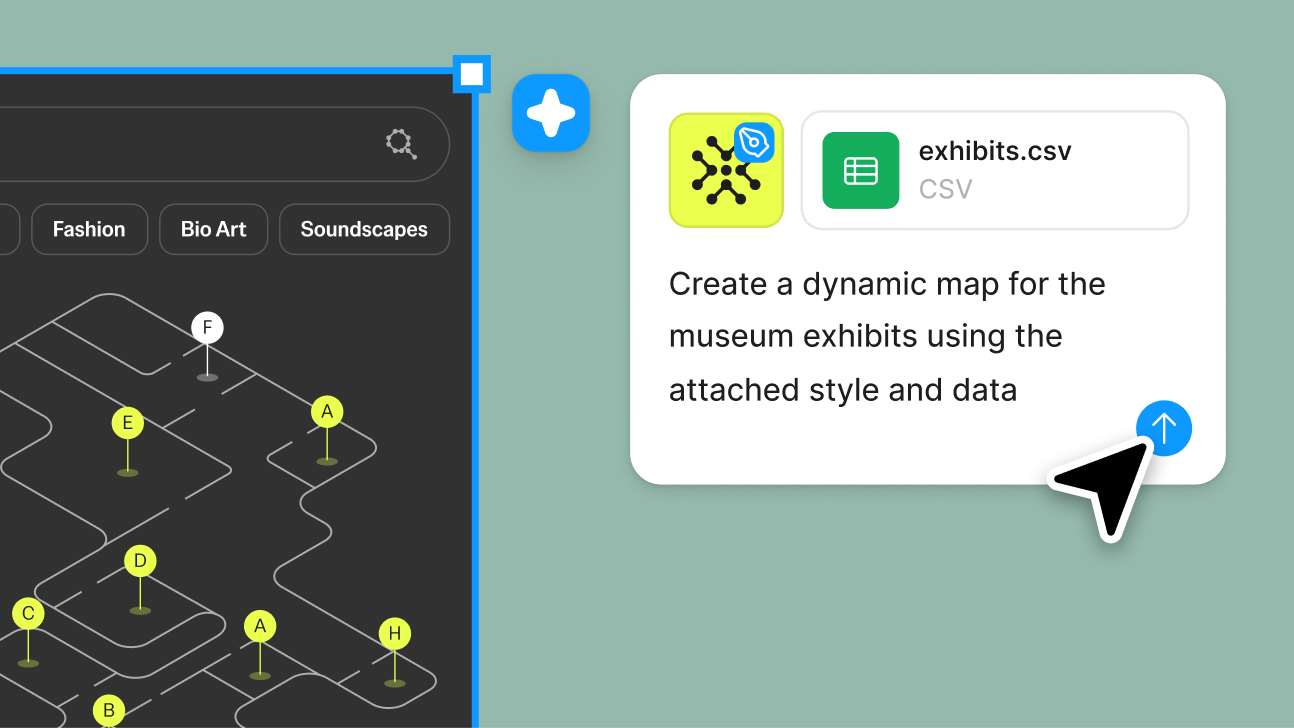
Figma introduced the ability to attach files—including Figma designs, images, PDFs, spreadsheets, and code—to prompts in the Figma agent and Figma Make. The feature is available across all plans, with…
- help.figma.com
Work with the Figma agent in design files
Figma rolled out an AI agent in Figma Design that lets users collaborate with AI to generate, remix, and automate design tasks directly in files. Features include multi-prompt parallel execution, libr…
- figma.com
3 ways product designers use the Figma agent for craft, speed, and creative expression
Figma’s design agent is now generally available with custom tools, greater context, and improved output quality, winning ~60%+ of human-graded evaluations. New capabilities include skills for automati…

- Featurefigma.com
How to lighten design system upkeep with the Figma agent
Figma introduced an AI agent that automates design system maintenance tasks such as documentation, component auditing, token adherence, and naming standardization directly within the Figma canvas. The…
- figma.com
Workflow lab: Staying in the flow with Figma’s agent
Figma unveiled new agent capabilities in Figma Design that automate library repairs, compliance checks, and design system spec drafting. The agent handles repetitive tasks like updating deprecated com…
- Integrationdevelopers.figma.com
Connect to your GitHub repositories
Figma introduced a GitHub integration for its Code Connect UI, enabling direct access to GitHub repositories to streamline component mapping in Figma files. Users can connect repositories to library f…
- Contentfigma.com
Sizzle reel 101: What it is and how to build one people remember
Figma published a guide on sizzle reels, positioning Figma Weave as an AI-native platform to generate and edit visuals for fast-paced promotional videos. The post highlights how Weave’s tools (crop, r…

- figma.com
8 of the best AI design assistant tools to try
Figma introduced an AI design agent within Figma Design that enables on-canvas edits, persistent chat, and real-time collaboration while adhering to existing design systems. The agent supports @-menti…

- Contentfigma.com
10 of the best AI video generators that give you more creative control
Figma published a guide ranking 10 AI video generators that emphasize creative control, positioning them as tools for designers. The post promotes Figma Weave and cites Figma’s State of the Designer 2…
- figma.com
How to make a cinemagraph smooth enough to hold attention
Figma published a guide on creating cinemagraphs, emphasizing smooth loops and AI-assisted tools like Figma Weave to automate motion generation and masking. The post positions cinemagraphs as a key mo…
- Featurefigma.com
Branching in Figma
Figma launched a branching feature that lets designers create isolated exploratory spaces to test ideas without altering main design files. Changes are merged only when ready, supporting workflows lik…
- Contentfigma.com
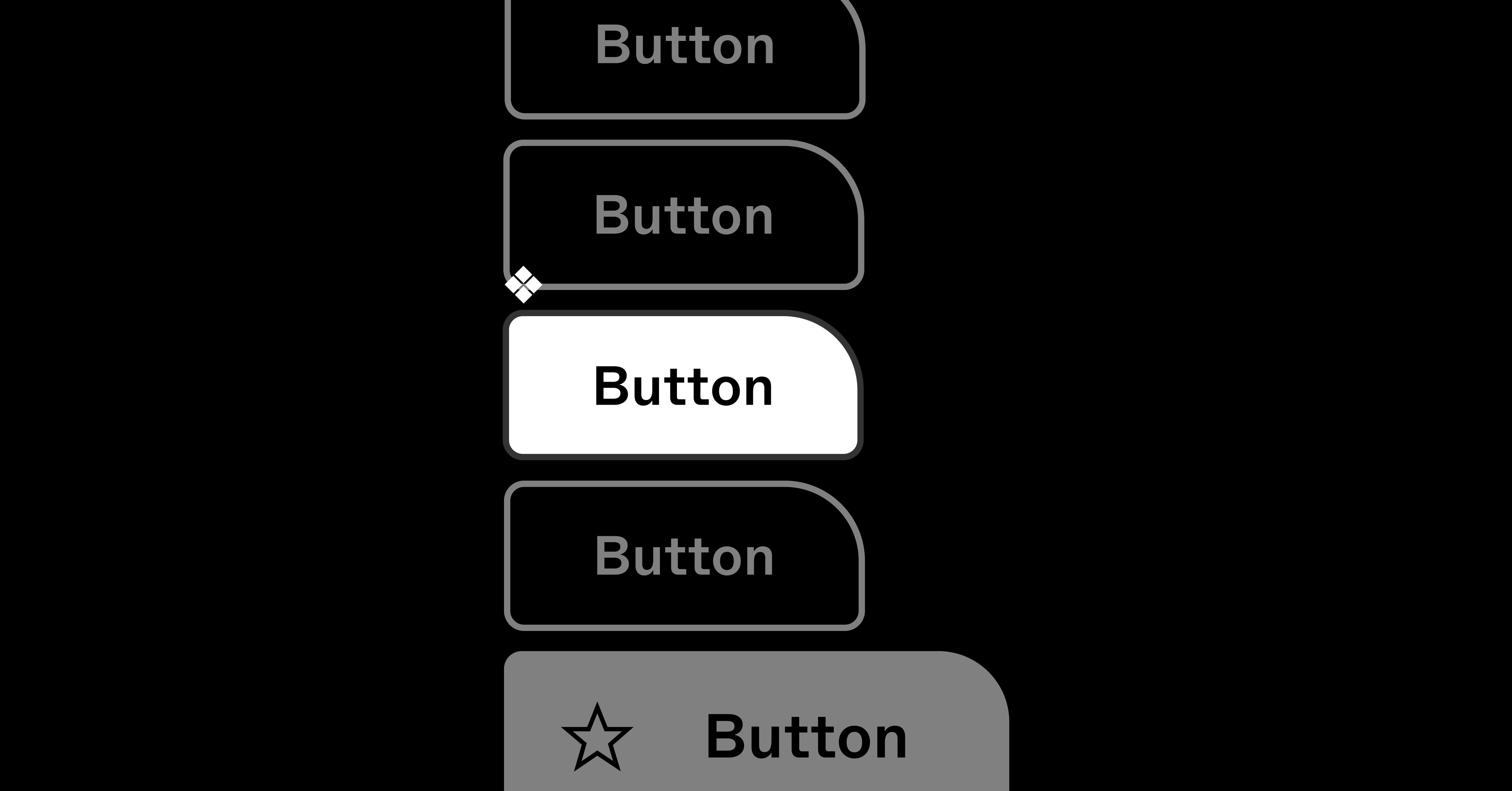
Creating and organizing Variants
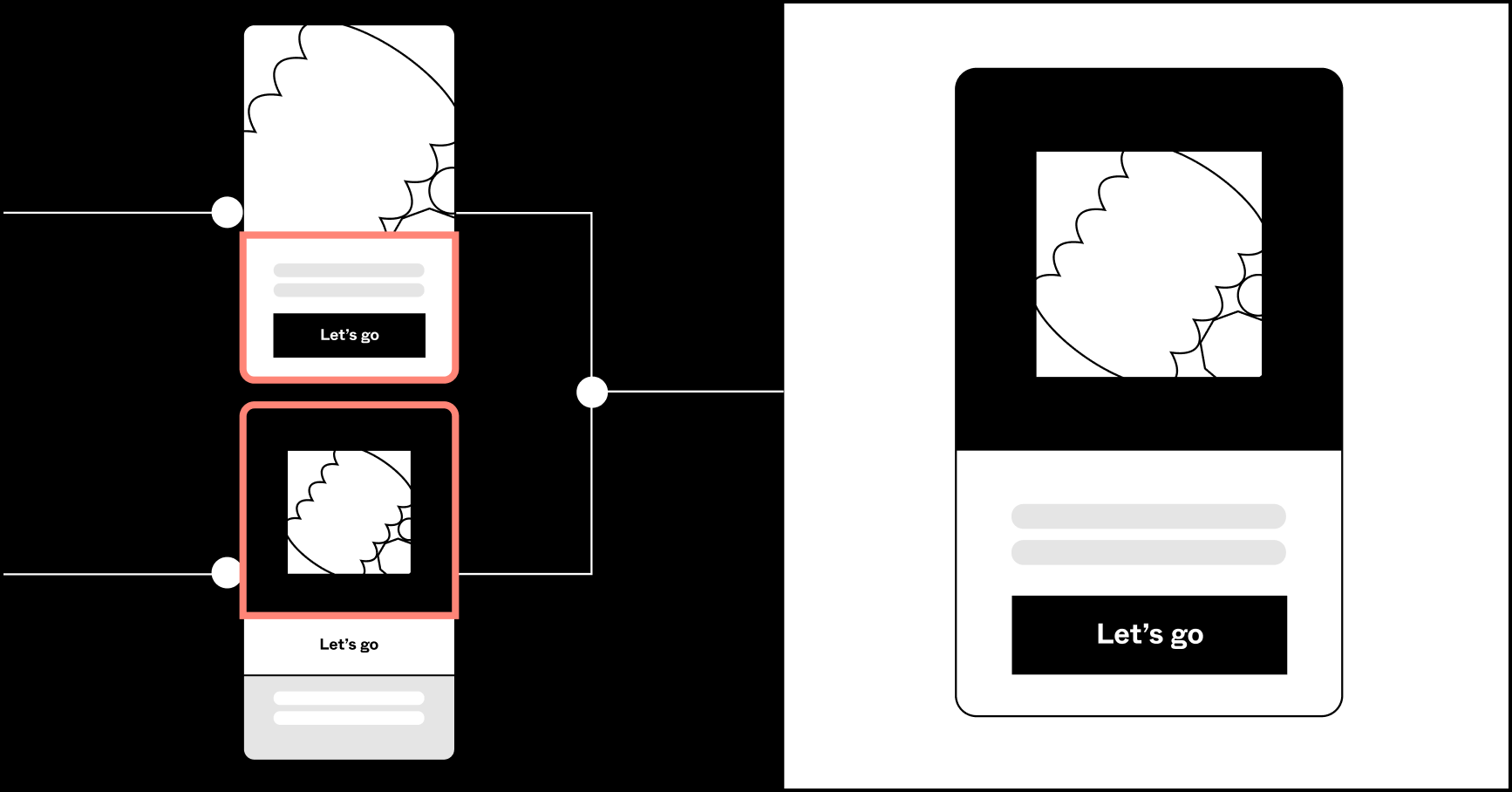
Figma published a best-practices guide explaining how Variants simplify component management by reducing clutter in the asset panel, preserving overrides, and easing instance adjustments. The guide ad…
- Featurefigma.com
Tips for a better developer workflow
Figma introduced two developer-focused updates: view-only users can now navigate to main components from instances, and component descriptions now appear in the code panel. These changes aim to improv…

- Featurefigma.com
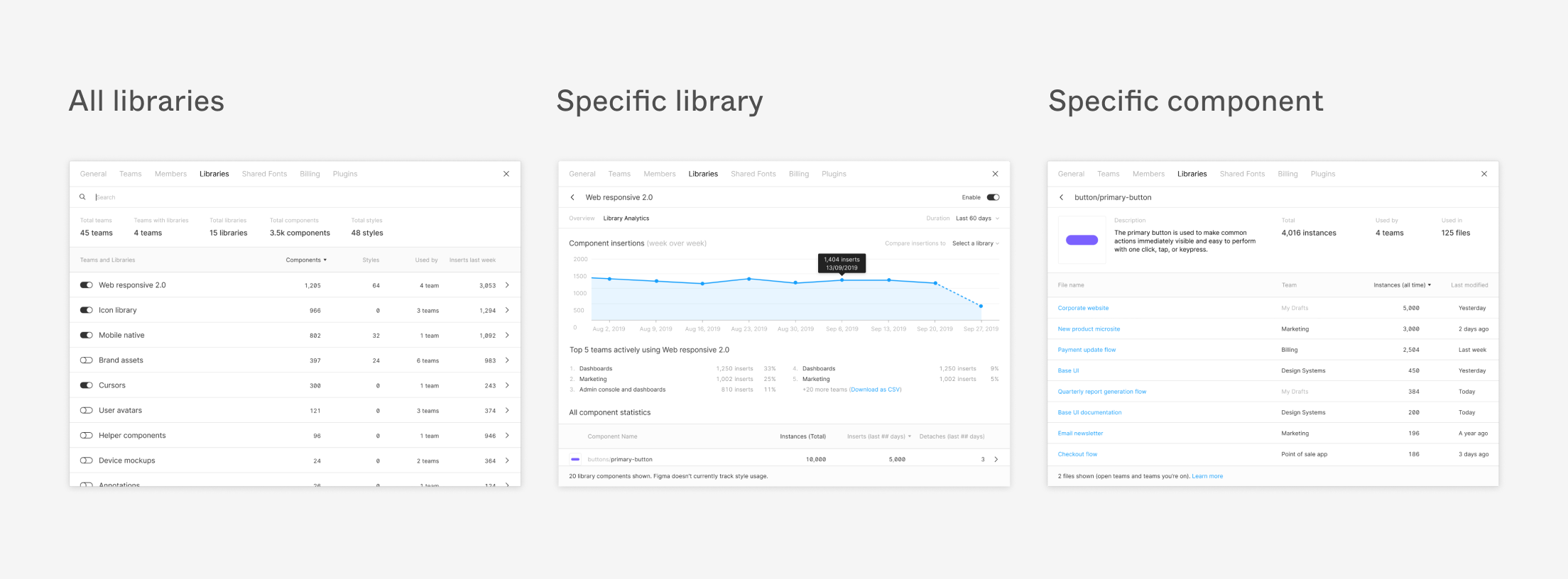
Five ways to make the most of your Design System Analytics
Figma launched Design System Analytics to help teams track how shared libraries, components, and styles are used across organizations. The tool provides metrics like total teams using a library, compo…
- Integrationfigma.com
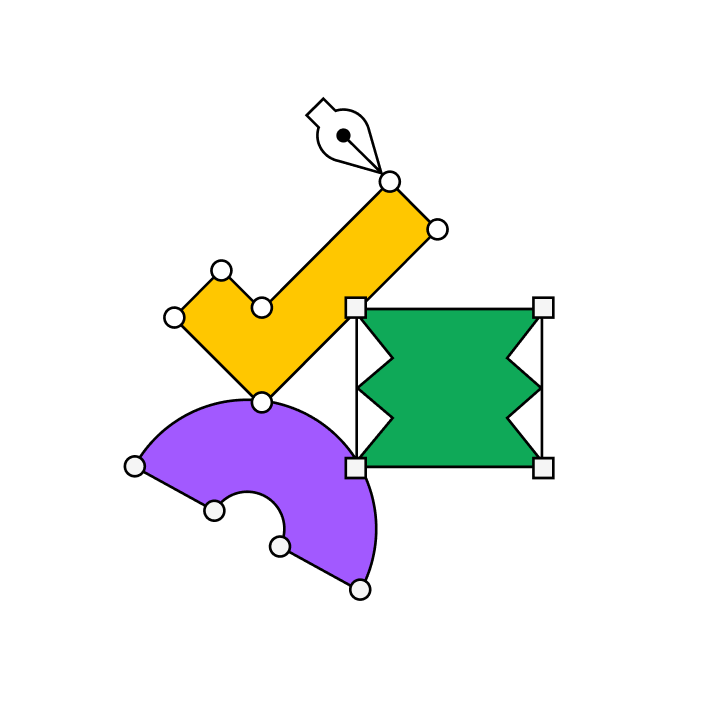
Build better products, together
Figma unveiled a broader ecosystem of plugins, widgets, and integrations to streamline workflows and connect Figma with other tools. New additions include an MCP server for agentic coding tools and a …
- Featurefigma.com
Figma unveiled Weave, a new node-based canvas designed to help users build creative AI workflows. The tool emphasizes workflow control, experimentation, and reusable systems, extending beyond one-shot
- Contentfigma.com
Designer to Builder Series
Figma introduced the Designer to Builder Series, a three-part hands-on program teaching designers how to convert Figma components into reviewable code using AI. Sessions cover environment setup, AI-as…

- figma.com
Putting Code Connect to the Test:
Figma hosted a webinar demonstrating Coinbase’s internal test of Code Connect, its MCP server that provides AI coding agents with real-time design system context. The test showed reduced costs when ge…
- figma.com
How Adyen Is Rebuilding the Way Design Works — with AI at the Centre
Adyen rebuilt its design process around AI, reducing solution exploration time by 10–20x and design-to-code delivery by 90% by integrating Figma into a new workflow. The effort included AI-empowered s…

- Featurefigma.com
Workflow lab: From design system to campaign in Figma Weave
Figma introduced a new workflow in Figma Weave that enables teams to repurpose elements from a design system into on-brand marketing assets like posters, billboards, and social media posts. The workfl…
Track Figma on autopilot
- · Weekly AI brief: narrative summary of what shipped, every Monday 9 AM
- · Email or Slack alerts, or chat with the archive in your dashboard
- · Add Figma + up to 2 more competitors free, no credit card