- kinsta.com
Welcome to Kinsta Documentation👋
Kinsta’s documentation outlines key features and tools for managing WordPress hosting, emphasizing ease of use and customization. The platform allows users to create new WordPress sites via a site cre…

- Fundingkinsta.com
Kinsta logs record year as top choice for serious WordPress businesses, with 60% customer growth, new executive hires and a platform buildout
Kinsta, ranked #1 in G2’s 2026 Best Software Awards for web hosting, announced record growth in 2025, including a 60% year-over-year customer increase to over 230,000 sites across 128 countries. The c…
- wpexperts.io
Kinsta Review: A Game Changing WordPress Hosting Provider
Kinsta Review: A Game Changing WordPress Hosting Provider
- technumero.com
Kinsta Hosting Review: Is the Performance Worth the Price?
Kinsta Hosting Review: Is the Performance Worth the Price?
- Contentwp-umbrella.com
Kinsta Review 2024: The Ultimate Guide to Kinsta’s WordPress Hosting Performance
Kinsta Review 2024: The Ultimate Guide to Kinsta’s WordPress Hosting Performance
- wplift.com
Kinsta: High-Performance Managed WordPress Hosting
Kinsta: High-Performance Managed WordPress Hosting
- Contenthostingadvice.com
Catching Up With Team Kinsta: How the Company Remains a Trendsetter in Cloud-Powered, Premium WordPress Hosting
Catching Up With Team Kinsta: How the Company Remains a Trendsetter in Cloud-Powered, Premium WordPress Hosting
- Case Studycloudflare.com
Kinsta Uses Cloudflare Solutions to Prevent DDoS Attacks and Provide a Premium Hosting Experience
Kinsta Uses Cloudflare Solutions to Prevent DDoS Attacks and Provide a Premium Hosting Experience
- websiteradar.net
Website Radar Review: Kinsta Hosting for Demanding Sites
Website Radar Review: Kinsta Hosting for Demanding Sites
- kinsta.com
SLAs and guarantees: What should your agency expect from your hosting partner?
SLAs and guarantees: What should your agency expect from your hosting partner?
- kinsta.com
How Jala Design enforces a non-negotiable reliability standard for its clients
How Jala Design enforces a non-negotiable reliability standard for its clients
- kinsta.com
Access more traffic and response insights with the Kinsta API
Access more traffic and response insights with the Kinsta API
- Integrationkinsta.com
Automate your Kinsta workflows with Zapier and the Kinsta API
Managing a large stable of WordPress sites usually requires a lot of clicking to execute repetitive tasks in administrative dashboards. And as a WordPress administrator for an agency, you know automat…
- Contentkinsta.com
WordPress Maintenance Mode – Troubleshooting and Customizing
Kinsta published a guide on troubleshooting and customizing WordPress maintenance mode, providing technical insights for their hosting customers.

- Contentkinsta.com
Enterprise hosting risk isn’t downtime—it’s uncertainty
We often think the real risk for a website owner or agency with multiple sites is that one of their sites will go offline. This is especially true as the sales season approaches, as downtime can be ve…
- kinsta.com
How to Select the Best Domain Registrar (Our Recommendations)
The article provides a comprehensive guide on selecting the best domain registrar, emphasizing key factors that differentiate high-quality registrars from subpar ones. The most critical insight is tha…

- kinsta.com
4 agency founders share the decisions that shaped their businesses
Four agency founders shared candid insights into the business decisions that shaped their companies, revealing key lessons on scaling, client selection, and strategic restraint. The most critical take…

- Featurekinsta.com
Email Marketing Software Recommendations (Why Not to Use Your Host)
Kinsta, a managed WordPress hosting provider, warns against using hosting servers for bulk email marketing due to risks like IP blacklisting, poor deliverability, and lack of email authentication (DMA…

- kinsta.com
What Is Google Cache? Everything Website Owners Need to Know
Kinsta published a comprehensive guide on Google Cache, detailing how it works, how to view cached pages (including Kinsta’s own cache), and five practical ways website owners can use it for SEO, dupl…

- kinsta.com
Google Search Operators: 40 Commands to Know (Improve Research, Competitive Analysis, and SEO)
Kinsta released a comprehensive guide on 40 Google search operators to improve research, competitive analysis, and SEO. The post explains how to use these operators individually and in combination for…

- Contentkinsta.com
In-Depth HTTP to HTTPS Migration Guide for WordPress
Kinsta publishes a comprehensive guide on migrating WordPress sites from HTTP to HTTPS, covering technical steps, SEO implications, and best practices.

- kinsta.com
Google Cloud vs Azure (Comparing the Giants)
Google Cloud and Microsoft Azure remain the second and third-largest cloud providers by market share, trailing Amazon Web Services. Google Cloud reported $9.2 billion in revenue for 2023, achieving pr…

- kinsta.com
Looking Back at the Top Web Design Trends (2018-2019)
Web design trends from 2018-2019 shifted toward bold, experimental styles, including broken grid layouts, vibrant color palettes, 3D animations, and brutalist design. AI chatbots and progressive web a…

- kinsta.com
Shareaholic Review: A Suite of Audience-Engaging WordPress Tools
Shareaholic is a WordPress plugin and service offering a modular suite of tools for audience engagement and monetization, distinct from typical social sharing plugins by bundling multiple features int…

- kinsta.com
How to Fix the Facebook oEmbed Issue in WordPress
Facebook has deprecated its legacy unauthenticated oEmbed endpoints for WordPress, effective October 24, 2020, requiring authentication via Facebook’s Graph API for all future embeds of Facebook and I…

- kinsta.com
How to Fix ERR_SSL_OBSOLETE_VERSION Warning Notifications in Chrome
Google Chrome has deprecated support for outdated TLS 1.0 and TLS 1.1 protocols, starting with Chrome 72, to enhance security and performance. By Chrome 79, sites using these legacy protocols trigger …

- kinsta.com
How to Fix “Sorry, This File Type Is Not Permitted for Security Reasons” Error in WordPress
WordPress restricts file uploads to specific types by default for security reasons, triggering the error 'Sorry, this file type is not permitted for security reasons' when users attempt to upload unsu…

- Featurekinsta.com
How to Create Anchor Links in WordPress (3 Easy Methods)
Anchor links, also known as jump menu links or table of contents, are hyperlinks that instantly navigate users to specific sections of a webpage, improving user experience and potentially boosting SEO…

- kinsta.com
How to fix ERR_SSL_PROTOCOL _ERROR
The article explains how to resolve the ERR_SSL_PROTOCOL_ERROR, a common issue affecting WordPress websites that fail to load over a secure HTTPS connection. The error occurs when a browser cannot est…
- kinsta.com
Google Search Console: Everything You Need to Know to Improve Your SEO
Google Search Console (GSC), previously known as Webmaster Tools, is a free suite of tools provided by Google to help webmasters monitor, manage, and improve their websites’ presence in Google Search …

- kinsta.com
Everything You’ll Need to Be a DevOps Engineer
The role of DevOps engineers has evolved from an obscure concept 20 years ago to a critical function in modern IT departments, enabling faster and more efficient project delivery. The DevOps market, v…

- kinsta.com
AWS Outage – Why We Need More Cloud Computing Providers
On February 28, 2017, a major outage in Amazon Web Services (AWS) S3, caused by human error, disrupted over 600,000 websites and services reliant on the platform, including high-profile companies like…

- Technicalkinsta.com
How to Fix Briefly Unavailable for Scheduled Maintenance Error on WordPress
WordPress sites may get stuck in maintenance mode during updates, displaying the 'Briefly unavailable for scheduled maintenance. Check back in a minute' message indefinitely. This occurs when the .mai…

- Contentkinsta.com
11 Benefits of Cloud Computing
Kinsta publishes a blog post outlining 11 advantages of cloud computing, positioning them as an authority in the web hosting and cloud services space.

- kinsta.com
Lowdown on Google Mobile Popup Penalty for Website Users
Google’s January 10, 2017 update devalued pages using popups or invasive interstitials on mobile, reducing their search rankings. The penalty applies per page and targets disruptive user experiences, …

- Contentkinsta.com
How to Fix the “Clickable Elements Too Close Together” Error (3 Methods)
Kinsta publishes a guide on resolving the 'clickable elements too close together' error, which impacts mobile usability and accessibility. The post offers three methods to address the issue.

- Contentkinsta.com
How to Create a YouTube Channel (Step-by-Step Tutorial)
Kinsta published a step-by-step guide on their blog explaining how to create a YouTube channel, aimed at helping users grow their online presence.

- Contentkinsta.com
How to Improve Website Navigation (With Examples and Reasons on Why You Should Do It)
Kinsta published a guide on improving website navigation, including examples and reasons for doing so. The post aims to educate users on UX best practices.

- kinsta.com
How to Fix “Serve Static Content From a Cookieless Domain” Warning
The article addresses the 'serve static content from a cookieless domain' warning, which appears in tools like Pingdom, GTmetrix, or Google PageSpeed Insights. This warning occurs when static assets (…

- Featurekinsta.com
Free SSL Certificates and Hosting From Kinsta
Kinsta has integrated Cloudflare’s free SSL certificates into its managed WordPress hosting platform, automatically providing wildcard domain support for all customer sites without manual setup. This …

- Contentkinsta.com
How to Show Hidden Files in FileZilla
A step-by-step guide published on Kinsta's blog explaining how to configure FileZilla to display hidden files, which is relevant for users managing WordPress or other applications hosted on Kinsta.

- Legalkinsta.com
How and Why to File a Facebook Trademark Infringement Report
The article explains how Kinsta, a managed WordPress hosting provider, has faced repeated trademark infringement issues, particularly on Facebook, where unauthorized pages impersonate their brand to d…

- kinsta.com
Facebook Instant Articles: How to Setup With WordPress
Facebook Instant Articles, launched in 2015, is a mobile publishing format that loads articles 10x faster than standard mobile web, improving user experience for news publishers. Publishers earn 70% o…

- Technicalkinsta.com
How Do Edge Servers Work? Everything You Need to Know
Kinsta explains the technical workings and benefits of their edge servers, highlighting how they improve website performance and reduce latency.

- kinsta.com
How to Resolve the “Remove Following Redirect Chain” Error (4 Methods)
Kinsta published a guide on their blog addressing the GTmetrix 'Remove the following redirect chain' error, which harms site speed, SEO, and conversions. The post explains causes (plugins, CDNs, migra…

- Technicalkinsta.com
PHP Thread Recommendations for eCommerce and Membership Sites
Kinsta now explicitly recommends against running highly dynamic eCommerce or membership sites on hosting plans with only 2 PHP threads due to performance limitations. Sites with uncached content (e.g.…

- Contentkinsta.com
Types of Malware: Learn How to Protect Yourself Better
Kinsta published a blog post explaining different types of malware and how users can protect themselves from cyber threats.

- kinsta.com
What Is a Zero-Day Exploit? And Why Are They Dangerous?
Zero-day exploits—previously undiscovered security flaws in software or hardware—pose severe, immediate threats to all organizations, as hackers can exploit them before developers have time to patch v…

- Featurekinsta.com
PHP 8.5 is now available to Kinsta customers
PHP 8.5 is now available to Kinsta customers on its Managed Hosting for WordPress platform, following its general release in November. Users can upgrade via the MyKinsta dashboard or Kinsta API, with …

- Featurekinsta.com
How to Edit Your Hosts File – Preview Site Before Updating DNS
The article explains how to edit a computer’s hosts file to manually map a domain to an IP address, bypassing DNS for website previews during migrations. The most critical change highlighted is Kinsta…

- kinsta.com
8 Tips on How to Reduce DNS Lookups and Speed Them Up
Kinsta’s blog post details eight strategies to minimize DNS lookup times, including using premium DNS providers, adjusting TTL values, reducing hostnames, and leveraging CDNs. The article emphasizes D…

- Integrationkinsta.com
How to Add A Record with Namecheap
Namecheap has updated its DNS management process to allow users to add an A record for domains or subdomains pointing to Kinsta’s managed WordPress hosting. The change requires users to log into their…

- Contentkinsta.com
How to Easily Clone Your WordPress Site
Kinsta introduced a new one-click cloning feature for WordPress sites, enabling users to duplicate entire sites—including databases and files—directly from the MyKinsta dashboard or via API. The featu…

- kinsta.com
How to Set Up Autoptimize for Your WordPress Site
Autoptimize, a free WordPress optimization plugin, has updated its settings to enhance performance and page speed for WordPress sites. The plugin focuses on optimizing HTML, CSS, and JavaScript files,…

- kinsta.com
Ecommerce Statistics You Must Know (Chatbots, Voice, Omni-Channel Marketing)
By 2040, 95% of purchases are projected to occur online, with global ecommerce sales expected to reach $5.5 trillion by 2022, more than doubling 2017’s $2.3 trillion. Millennials and Gen Xers dominate…

- Contentkinsta.com
Building Custom Gutenberg Blocks: The Definitive Block Development Tutorial
Kinsta published a comprehensive tutorial on developing custom Gutenberg blocks for WordPress, aimed at developers and technical users.

- kinsta.com
27 Popular SSH Commands for WordPress Users to Start Using
This article provides a comprehensive guide to using SSH (Secure Shell) commands with WordPress, emphasizing the security and efficiency benefits of this protocol for managing WordPress sites. The mos…

- Contentkinsta.com
How to Embed a Google Form on Your WordPress Site (3 Easy Steps)
Kinsta published a step-by-step guide explaining how to embed Google Forms on WordPress sites using HTML embed codes, highlighting benefits like avoiding plugin bloat and enabling cross-platform form …

- kinsta.com
10 Best FTP Clients for WordPress Users (Mac and Windows)
The article provides a comprehensive review of the top nine FTP (File Transfer Protocol) clients for WordPress users, focusing on their features, compatibility, and pricing. The most significant chang…

- Contentkinsta.com
What Is Cache? Learn This Common and Complex Technology
Kinsta published a blog post explaining cache technology, likely to educate users about its role in web performance and hosting services.

- kinsta.com
13 Solid Ecommerce Strategies to Skyrocket Sales During the Holiday Season
Ecommerce sales are surging during holiday seasons, with online Black Friday sales reaching $9.12 billion in 2022 and US retail ecommerce spending rising 3.5% year-over-year to $211.70 billion in Nove…

- Contentkinsta.com
Content Scraping: Fight Back or Ignore?
Kinsta details how content scraping farms steal and republish original content without attribution, often using automated tools. While Google’s algorithm typically protects original publishers, scrape…

- Featurekinsta.com
Google AMP Case Study – Leads Dropped by 59% (How to Disable It)
Kinsta, a managed WordPress hosting provider, has published a case study detailing its decision to disable Google AMP (Accelerated Mobile Pages) on its blog after testing it for two months. The compan…

- Contentkinsta.com
How to Know if Your Phone Is Hacked (and How You Can Avoid It)
Kinsta published a blog post providing guidance on detecting and preventing phone hacking, aimed at educating users about cybersecurity risks.

- kinsta.com
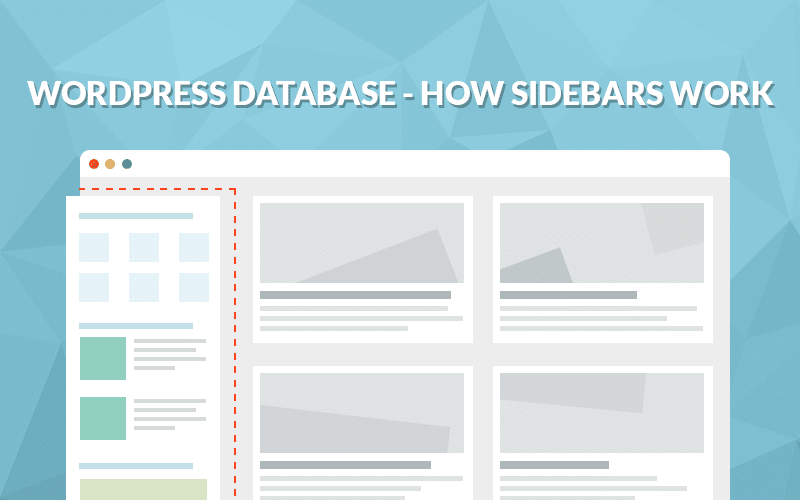
WordPress Database – How Sidebars Work
Kinsta’s CTO published a technical deep-dive on how WordPress sidebars and widgets are stored in the database, focusing on the `sidebars_widgets` and widget-specific option rows. The post aims to help…
- Contentkinsta.com
Bitbucket vs GitHub: Which Code Repository Is Better for Your Development Projects?
Kinsta's blog post compares Bitbucket and GitHub to help developers choose the right code repository for their projects. The article likely includes pros, cons, and use-case recommendations.

- kinsta.com
Why You Might Need a WordPress DevOps Team
The article argues that traditional, periodic update models for WordPress sites are outdated, particularly as the platform’s constant updates to core, plugins, and themes demand a more agile approach.…
- Contentkinsta.com
How to Use SFTP to Connect to Your WordPress Site
A step-by-step guide published on Kinsta's blog explaining how to use SFTP for secure file transfers to WordPress sites hosted on their platform.

- Contentkinsta.com
What Is an SVG File (And How do You Upload SVGs to WordPress)?
Kinsta published a guide explaining SVG files and providing instructions for uploading SVGs to WordPress, targeting users of their managed hosting platform.

- Contentkinsta.com
19 Splendid Photography Websites (And How to Build Your Own)
Kinsta publishes a blog post featuring 19 photography websites as examples and guidance on building one's own photography site.

- kinsta.com
How to Choose a Domain Name (8 Tips to Stand Out)
The article provides eight strategic tips for selecting an effective domain name in a highly competitive digital landscape where nearly 332.4 million domains are already registered. The most critical …

- Featurekinsta.com
How to Get a Professional Email Address With a Custom Domain
Kinsta published a guide on creating professional email addresses with custom domains, emphasizing the importance of branded email for credibility in business communications. It highlights that 90% of…
- kinsta.com
Application Development
The webpage is a content hub focused on application development, primarily targeting developers using frameworks like Node.js, React, Vue.js, Laravel, and Angular. It highlights Kinsta’s role in hosti…

- Integrationkinsta.com
How to Change GoDaddy Nameservers
GoDaddy users can now change their domain nameservers to point to Kinsta’s premium DNS service, enabling seamless integration with Kinsta’s managed WordPress hosting. The process involves accessing Go…

- kinsta.com
How to Enable GZIP Compression to Speed Up WordPress Sites
Kinsta published a guide on enabling GZIP compression to speed up WordPress sites by reducing transmitted data size. The post explains how GZIP works, its compression ratios, and advantages like fast …

- Featurekinsta.com
WP-CLI v2 – Managing WordPress From the Terminal
WP-CLI v2, released on August 8, 2018, marks a significant evolution in WordPress management by transitioning from a simple command-line tool to a robust, developer-focused solution. The update introd…

- Contentkinsta.com
How SSL Works and Why It’s Important
A technical blog post explaining SSL/TLS encryption, its importance for website security, and how it integrates with hosting services like Kinsta.
- Featurekinsta.com
Managing Multi-User Access in Your Hosting Account
Kinsta introduces a new feature to manage multi-user access within hosting accounts, allowing better collaboration and role-based permissions.

- kinsta.com
How Do I View My Access and WordPress Error Logs?
The article explains how to view WordPress error and access logs using Kinsta’s managed hosting platform. It details five methods: accessing logs via the MyKinsta dashboard, downloading raw log files …

- Contentkinsta.com
20 Work from Home Security Tips to Protect Your Data
Kinsta publishes a blog post outlining 20 security tips for remote workers to safeguard their data, reflecting their focus on security and remote work solutions.

- Contentkinsta.com
What Is a TLD? Top-Level Domains Explained
Kinsta published a blog post explaining what a Top-Level Domain (TLD) is, including its structure, types, and relevance to domain registration and SEO.

- Contentkinsta.com
How Much Does a Domain Name Cost? 4 Key Factors Influencing What You Should Expect to Pay
Kinsta published a blog post explaining the cost factors for domain names, including TLDs, registrars, and registration periods.

- Technicalkinsta.com
How to Add an A Record with GoDaddy
This article provides a step-by-step guide for GoDaddy domain owners on how to add or edit an A record to point their domain to Kinsta’s managed WordPress hosting. The process involves copying the sit…
- kinsta.com
Important Changes – Disqus Ads Are No Longer Free to Disable
Disqus began charging a $10/month fee to remove advertisements from its WordPress comment system in March 2017, a change that reverses a decade-long free policy. The new pricing applies at the organiz…

- kinsta.com
How to build PHP-only Gutenberg blocks
WordPress development has taken a significant step forward with the introduction of PHP-only Gutenberg blocks, eliminating the long-standing requirement for React and Node.js expertise to build custom…

- kinsta.com
How to distinguish traffic from bots to identify real visits, helpful bots, and harmful attacks
Automated traffic now dominates the modern web, with bots accounting for 51% of all web requests in 2024—a historic shift where non-human activity surpasses human visits for the first time in a decade…

- Contentkinsta.com
The Developer’s Guide to Start Using SSH (Connect to Your Server Securely)
Kinsta published a technical guide explaining how developers can use SSH to securely connect to their servers hosted on Kinsta.

- Technicalkinsta.com
How to Optimize the Critical Rendering Path in WordPress
The article explains the Critical Rendering Path (CRP), the sequence of browser tasks required to render a webpage, and provides optimization strategies to improve page load performance, particularly …

- Technicalkinsta.com
Building Efficient WordPress Queries with WP_Query
Kinsta published a guide on optimizing WordPress queries using WP_Query to improve performance for large-scale sites. Key changes include disabling SQL_CALC_FOUND_ROWS (via no_found_rows=true) to redu…

- kinsta.com
Advanced Custom Fields Tutorial: Your Ultimate Guide
The article provides a comprehensive guide to Advanced Custom Fields (ACF), a popular freemium WordPress plugin that simplifies the creation, management, and display of custom fields in WordPress. The…

- kinsta.com
How to Clean up Your wp_options Table and Autoloaded Data
The article explains how excessive autoloaded data in WordPress’s wp_options table can degrade site performance, particularly on older or large installations. Autoloaded data is information loaded on …

- kinsta.com
Introducing WordPress 5.4 (Blocks, Features, New APIs)
WordPress 5.4 “Adderley” launched on March 31, 2020, introducing major block editor improvements, two new blocks (Social Icons and Buttons), and performance gains including a 14% loading time reductio…

- kinsta.com
Analyzing Third-Party Performance on Your WordPress Site
Kinsta published a guide on identifying and mitigating third-party performance issues on WordPress sites, using a test site hosted on Kinsta to demonstrate how external services like Google AdSense an…

- Contentkinsta.com
Google AMP – How to Implement it in WordPress
Google AMP (Accelerated Mobile Pages) has evolved significantly since its launch in October 2015, with its mobile-first approach now stabilizing after six months of rapid development. The core change …
- kinsta.com
What Is a Trackback?
The article defines trackbacks as a manual notification system for older blogging platforms to link to content, noting they are largely obsolete due to spam and lack of adoption by high-traffic sites.…

- kinsta.com
What Is HTTP/3 – Lowdown on the Fast New UDP-Based Protocol
HTTP/3, the third version of the Hypertext Transfer Protocol, has been adopted as an IETF Internet Draft and is expected to become an official standard after August 2021. Built on the UDP-based QUIC p…

- kinsta.com
How to Create a Membership Website (In 5 Steps)
The article explains how to build a membership website using platforms like WordPress, highlighting benefits such as monetization, lead generation, and improved engagement. It outlines five steps: ide…

- Contentkinsta.com
How to Install a Wildcard SSL Certificate on Your WordPress Site
Kinsta published a step-by-step guide on installing a wildcard SSL certificate for WordPress sites, highlighting their support for such configurations.
- Contentkinsta.com
How to Set up Sucuri Firewall (WAF) on Your WordPress Site
Kinsta publishes a step-by-step guide on configuring the Sucuri Web Application Firewall (WAF) for WordPress sites hosted on their platform, emphasizing enhanced security measures.

- Featurekinsta.com
What’s New in WordPress 5.7 (Lazy-Loading, HTTPS, UI Updates, New APIs, and Much More)
WordPress 5.7 adds significant block editor improvements, including block variation transformations, new APIs for developers, and UI enhancements like font size controls for List and Code blocks. It a…

- kinsta.com
How to Fix “Specify a Vary: Accept-Encoding Header” Warning
The article explains how to resolve the 'Specify a Vary: Accept-Encoding Header' warning, which appears in tools like Pingdom, GTmetrix, or Google PageSpeed Insights. This HTTP header ensures browsers…

- Featurekinsta.com
What’s New in WordPress 5.2 (Site Health and PHP Error Protection)
WordPress 5.2 ‘Jaco’ launched on May 7, 2019, introducing a new Site Health tool with status scoring and debug info pages to identify configuration and security issues. It also adds PHP error protecti…

- kinsta.com
What’s New in WordPress 5.3 (New Blocks, New APIs, Improved Admin UI)
WordPress 5.3 'Kirk' launched on November 12, 2019, merging 13 Gutenberg plugin releases into core, significantly enhancing the block editor with new blocks, APIs, and performance gains. Key additions…

- kinsta.com
What Is bbPress? How To Add A Forum To WordPress
bbPress is a free, open-source WordPress plugin designed to add lightweight forum functionality to WordPress sites. Originally launched in 2004 by WordPress co-founder Matt Mullenweg, it remains under…

- kinsta.com
A Look at the New Amazon Associates Link Builder for WordPress
Amazon has released the official *Amazon Associates Link Builder* plugin for WordPress, a free tool designed to simplify the integration of Amazon affiliate links into WordPress websites. Launched in …

- kinsta.com
How modern block themes are changing WordPress hosting
Block themes in WordPress are reshaping hosting requirements by shifting performance bottlenecks from static file processing to dynamic, runtime rendering. Unlike classic themes that rely on PHP templ…

- kinsta.com
4 Best Incremental WordPress Backup Plugins (Save Space and Speed)
Kinsta published a guide recommending incremental WordPress backup plugins, emphasizing their space-saving and performance benefits. The article contrasts plugin-based backups with Kinsta’s built-in h…

- Featurekinsta.com
The Do’s and Don’ts for Hosting WordPress Membership Sites
WordPress membership and community sites face unique hosting challenges due to their dynamic, high-traffic nature, requiring specialized infrastructure to avoid performance issues like 500 errors, dow…

- Featurekinsta.com
How to set up custom MyKinsta notifications with the Kinsta API to catch issues before they impact users
Kinsta has introduced customizable notification capabilities for its MyKinsta dashboard and API, enabling users to proactively monitor and address critical website issues before they impact performanc…

- Contentkinsta.com
Managing WordPress Development With Symlinks
The article explains how to use symlinks to share a single instance of WordPress plugins or themes across multiple installations, reducing maintenance overhead. It provides step-by-step commands for W…
- kinsta.com
How to Manually Update a WordPress Plugin
The article explains how to manually update WordPress plugins when automatic updates fail, a capability introduced in WordPress 5.5 that allows uploading .zip packages directly from the dashboard. It …

- kinsta.com
How to Upload an HTML File to WordPress (3 Effective Methods)
This guide explains three methods for uploading HTML files to WordPress, a capability that enhances customization beyond the platform’s built-in tools. The most critical change highlighted is the abil…

- Contentkinsta.com
How To Add nofollow Links in WordPress
The article explains how to add `rel="nofollow"` attributes to links in WordPress using two methods: the Gutenberg editor and manual HTML editing in the Classic Editor. The `nofollow` attribute instru…

- Featurekinsta.com
16 Fastest WordPress Themes (Based on Thorough Testing)
Kinsta published a performance-focused comparison of 16 WordPress themes, ranking them by speed using four standardized testing tools (GTmetrix, Pingdom, Google PageSpeed Insights, ByteCheck) on ident…

- kinsta.com
How to Update the PHP Version of Your WordPress Site (Why You Should)
Kinsta announced it will remove unsupported PHP versions from its hosting platform when they reach end-of-life (EOL), aligning with PHP’s predictable release schedule where versions are maintained for…

- Featurekinsta.com
Debugging WordPress Performance Issues: “Stuff Happens” Checklist
Kinsta published a troubleshooting guide detailing how a WordPress performance issue on one of its team member’s sites was resolved, highlighting the importance of uptime monitoring, diagnostic tools,…

- kinsta.com
Diving Deep Into the Latest Gutenberg WordPress Editor
The WordPress block editor, known as Gutenberg, has evolved significantly since its launch in December 2018 as part of WordPress 5.0. Initially introduced as a minimum viable product (MVP), Gutenberg …

- kinsta.com
How to Configure Mailgun in WordPress to Send Emails
The article provides a step-by-step guide on configuring Mailgun, a transactional email API service, to send emails from WordPress. It highlights Mailgun’s free tier of 10,000 emails per month and low…

- kinsta.com
Intro to Building Websites with Gatsby and WordPress (Fast and Static)
The article introduces the integration of Gatsby, a static site generator built with ReactJS and powered by GraphQL, with WordPress to create faster, more secure, and cost-effective websites. The key …

- kinsta.com
Where and How to Hire a WordPress Developer
The article addresses the challenges of hiring skilled WordPress developers, highlighting the prevalence of unvetted platforms where low-quality providers undercut prices, leading to poor user experie…

- Contentkinsta.com
How to Eliminate Render-Blocking Resources on WordPress (CSS + JavaScript)
Kinsta published a guide explaining how render-blocking CSS and JavaScript delay above-the-fold content rendering in WordPress, and recommends plugins like Autoptimize, Async JavaScript, and WP Rocket…

- kinsta.com
How To Edit the Footer in WordPress Using Every Method Possible
The article provides a comprehensive guide on editing the footer in WordPress, emphasizing its importance and offering multiple methods to customize it. The most critical fact is that WordPress footer…

- kinsta.com
Google Docs to WordPress — 6 Tricks You Need to Know
The article highlights persistent challenges when transferring content from Google Docs to WordPress, particularly formatting issues, messy HTML code, and image handling problems that slow down conten…

- kinsta.com
How To Change Your WordPress Username (Manually Or With A Plugin)
WordPress does not natively allow username changes, but users can now modify usernames using three methods: a free 'Username Changer' plugin, creating and deleting accounts, or directly editing the da…

- kinsta.com
The Ultimate Step-By-Step Guide to Creating a Directory Website with WordPress
Kinsta published a guide on creating a directory website using WordPress, detailing niche selection, SEO research, monetization strategies, branding, and technical setup. The guide emphasizes identify…

- Featurekinsta.com
8 Easy Ways to Check Disk Usage in WordPress (Find Large Files & Data)
Kinsta published a guide on eight methods to check disk usage in WordPress, focusing on identifying large files and database bloat. The article highlights that WordPress disk usage consists of server …

- kinsta.com
Django vs WordPress — Which Is Better for Your Website?
The article compares Django, a Python-based backend web framework, and WordPress, a PHP-based content management system (CMS), to help developers choose the right tool for their projects. Django, intr…

- Contentkinsta.com
How to Disable the Gutenberg WordPress Editor (Need More Time)
Kinsta published a guide explaining how to disable the Gutenberg WordPress editor, likely to assist users transitioning to or from the classic editor.

- Contentkinsta.com
How to Import Tumblr to WordPress (Quick and Easy)
Kinsta published a guide on migrating Tumblr blogs to WordPress, highlighting Tumblr’s decline (0.1% of websites) and WordPress’s dominance (43.5%). The post details a free WordPress plugin for import…

- Contentkinsta.com
Is WordPress secure? Here’s what the data says
Kinsta’s article reveals that WordPress core security has improved significantly, with only 0.2% of 2023 vulnerabilities affecting core software. However, 96.77% of new vulnerabilities stem from outda…

- Contentkinsta.com
How to Reorder Posts in WordPress and WooCommerce
The article explains four methods to reorder posts in WordPress: changing publish dates, using WooCommerce's drag-and-drop sorting, installing the Post Types Order plugin, and custom code. It highligh…

- kinsta.com
How to Backup the WooCommerce Database to Secure Your Store’s Data
Kinsta published a guide on backing up WooCommerce databases, emphasizing the importance of regular backups due to constant database changes from orders, customer activity, and product updates. The po…

- Contentkinsta.com
How to Add Expires Headers in WordPress
Kinsta published a guide on adding Expires headers in WordPress to leverage browser caching and improve load times, which also impacts performance scores in tools like GTmetrix. The post explains the …

- kinsta.com
76 Proven Tactics to Drive Traffic to Your Website
The article titled '76 Proven Tactics to Drive Traffic to Your Website' provides a comprehensive guide on strategies to increase website traffic, primarily through content marketing, email marketing, …

- Contentkinsta.com
Medium vs WordPress: Where Should You Start a Blog?
Kinsta's blog post compares Medium and WordPress as platforms for starting a blog, likely highlighting Kinsta's hosting solutions or WordPress advantages.

- Contentkinsta.com
How to Edit WordPress Code – HTML, CSS, PHP (Easy Guide)
Kinsta published a guide on their blog explaining how to edit WordPress code, including HTML, CSS, and PHP. The content is educational and aimed at WordPress users.

- kinsta.com
How To Bulk Upload Files to WordPress Media Library via FTP
Kinsta published a step-by-step guide on bulk uploading files to WordPress Media Library using FTP/SFTP, addressing limitations in WordPress's default upload tool. The post details a three-step proces…

- kinsta.com
How to Customize Your WordPress Theme (5 Step-by-Step Ways)
The article provides a comprehensive guide on customizing WordPress themes, emphasizing the importance of choosing the right method based on the desired outcome. The most critical change highlighted i…

- kinsta.com
How to Boost Conversions on Your WooCommerce Product Pages
The article provides a comprehensive guide on optimizing WooCommerce product pages to improve conversion rates, emphasizing that high traffic without sales indicates a need for better page performance…

- Sunsetkinsta.com
RIP WordPress and HHVM – We’ve Had a Good Run
Kinsta, a managed WordPress hosting provider, announced the end of support for HHVM (HipHop Virtual Machine) for WordPress sites, effective August 20, 2018. The decision stems from HHVM’s discontinuat…

- Contentkinsta.com
How to Add Meta Descriptions in WordPress (Improve Click-Through Rate up to 5.8%)
Kinsta publishes a guide on adding meta descriptions in WordPress to improve click-through rates, leveraging SEO best practices for their WordPress hosting audience.

- Technicalkinsta.com
How Much Disk Space Does Your Hosting Plan Really Need?
Kinsta, a managed WordPress hosting provider, has published data-driven insights to help users accurately assess their disk space needs, challenging common overestimations in hosting plan selection. B…

- kinsta.com
How to Disable WordPress Plugins From Loading on Specific Pages and Posts
The article explains how unnecessary WordPress plugins degrade performance by loading scripts and styles globally, even on pages where they aren’t used. It details programmatic methods to disable plug…

- Contentkinsta.com
How to Fix The ERR_TOO_MANY_REDIRECTS Error
Kinsta published a technical blog post explaining the causes of the ERR_TOO_MANY_REDIRECTS error and providing step-by-step solutions for developers and site owners.

- Contentkinsta.com
How to Undo Changes in WordPress (Revisions, Autosaves, Snapshots)
Kinsta published a guide explaining how to undo changes in WordPress using features like revisions, autosaves, and snapshots.

- kinsta.com
How to Check Your WordPress Version (4 Methods)
The article explains four methods to check a WordPress site’s version, emphasizing the importance of keeping WordPress updated to prevent security vulnerabilities. It highlights that outdated WordPres…

- Contentkinsta.com
30+ Best WooCommerce Themes to Dress Up Your Ecommerce Site
Kinsta published a blog post listing over 30 WooCommerce themes to help users enhance their ecommerce sites, positioning their hosting services as a solution for WooCommerce stores.

- kinsta.com
A Beginner’s Guide to WordPress Database: What It Is and How to Access It
This article provides a comprehensive beginner’s guide to understanding WordPress databases, emphasizing their critical role in storing and managing all site data, including content, user information,…

- Contentkinsta.com
6 Best WordPress Caching Plugins to Lower Page Load Time and Time to First Byte
Kinsta argues server-level caching is superior to WordPress caching plugins, citing a 23% page load time reduction and 80% lower TTFB without plugin overhead. The article lists six top caching plugins…

- Contentkinsta.com
How To Set Up WordPress Multisite Domain Mapping
Kinsta released a detailed tutorial explaining how to set up domain mapping for WordPress Multisite networks, enabling users to point subsites to external domains. The guide covers installation, DNS c…

- kinsta.com
Why and How to Publish a Plugin to the WordPress Plugin Directory
Kinsta published a guide on distributing WordPress plugins via the WordPress.org directory, highlighting benefits like free tools, visibility, and community contribution. The post details coding best …

- kinsta.com
What is WordPress? Explained for beginners
WordPress remains the dominant content management system (CMS) powering over 43.5% of all websites globally, a statistic unchanged by this article. The piece explains WordPress as an open-source CMS l…

- kinsta.com
How to Install and Optimize the Total WordPress Theme
Kinsta published a detailed guide on installing and optimizing the Total WordPress theme, showing it can load quickly on Kinsta’s servers with proper tuning. The post includes step-by-step optimizatio…

- kinsta.com
WooCommerce vs Easy Digital Downloads: Which One Should You Use?
WooCommerce and Easy Digital Downloads (EDD) are two leading WordPress plugins for eCommerce, each with distinct strengths and market positions. WooCommerce, acquired by Automattic for approximately $…

- kinsta.com
How to Stop WordPress Registration Spam (Plugins and Tactics)
WordPress sites enabling public registration are highly vulnerable to spam registrations due to the platform’s popularity and the default registration page’s lack of robust protections. The article hi…

- kinsta.com
9 Best WordPress Audio Players to Share Audio Clips Professionally (And Reach More Listeners)
The article highlights nine WordPress audio player plugins designed to enhance the professional sharing of audio content, including music, podcasts, audiobooks, and radio broadcasts. The most signific…

- kinsta.com
Top 9 WordPress Quiz Plugins to Increase Engagement
WordPress quiz plugins are gaining traction as a tool to boost user engagement, mirroring the success of platforms like BuzzFeed and ESPN, which leverage quizzes to retain visitors and drive interacti…

- Integrationkinsta.com
How to Configure SendGrid in WordPress to Send Emails
Kinsta explains how WordPress users can replace its default MailChannels relay with SendGrid’s transactional email service to gain DKIM control and higher sending limits. The guide covers API key gene…

- kinsta.com
How To Optimize Images for Web and Performance
Kinsta published a guide on image optimization for web performance, emphasizing the 21% average image weight in webpages and the benefits of compression. It highlights Kinsta’s free automatic image op…

- kinsta.com
5 WordPress Age Verification Plugins to Help You Add an Age Gate
The article reviews five WordPress plugins designed to add age verification gates to websites, catering to industries like alcohol, tobacco, and gambling where age restrictions are common. While age g…

- kinsta.com
9 WordPress Donation Plugins for Charity, Relief, and Support
WordPress is highlighted as an ideal platform for charities due to its open-source nature, scalability, and extensive ecosystem, including plugins like BuddyPress for community building. The article r…

- Contentkinsta.com
How To Troubleshoot and Repair WordPress Database Issues
The article provides a step-by-step guide for diagnosing and repairing common WordPress database issues, including incorrect credentials, connection problems, PHP memory limits, corrupted tables, and …

- kinsta.com
Updating WooCommerce: A Safe and In-Depth Guide
The article provides a comprehensive guide on safely updating a WooCommerce store, emphasizing the critical importance of thorough testing before and after updates to avoid disruptions to functionalit…

- Contentkinsta.com
How to Restore WordPress from a Backup (Easiest Methods)
Kinsta released a comprehensive guide explaining six methods to restore WordPress from backups, emphasizing their one-click restore features in MyKinsta. The post highlights Kinsta’s six backup types,…

- kinsta.com
6 Best WordPress Advertising Plugins To Increase Blog Revenue
Kinsta published a guide comparing six WordPress advertising plugins to help bloggers and publishers optimize ad revenue management. The article highlights tools like Ad Inserter, AdRotate, and Advanc…

- kinsta.com
How to Create Beautiful WordPress Charts and Graphs
WordPress users can now create visually appealing and interactive charts and graphs directly within their sites using specialized plugins, eliminating the need for external tools like Excel. The artic…

- kinsta.com
7 Best WordPress Ecommerce Plugins For Your Store
The article provides an in-depth comparison of the seven best WordPress ecommerce plugins, highlighting their features, use cases, and competitive advantages. The most significant change is the growin…

- Contentkinsta.com
How to Use CAPTCHAs to Keep Bots and Spammers Off Your WordPress Site
Kinsta publishes a guide on implementing CAPTCHAs in WordPress to prevent bot and spam activity. The post provides practical steps for WordPress users.

- kinsta.com
Squarespace vs WordPress – Which One is Better? (Pros and Cons)
WordPress remains the dominant content management system (CMS) powering 43.5% of the world’s websites, but Squarespace has emerged as a strong alternative for beginners seeking simplicity. The key dif…

- kinsta.com
How to Uninstall a WordPress Plugin (the Proper Way)
WordPress plugin uninstallation often leaves behind database tables and files, causing performance degradation and increased disk usage over time. While users typically deactivate and delete plugins v…

- Contentkinsta.com
The Ultimate Guide to Using WordPress Permalinks
A comprehensive guide published by Kinsta explaining how to configure and optimize WordPress permalinks for better SEO and site performance.

- Contentkinsta.com
How to Perform a WordPress Search and Replace (5 Methods)
Kinsta published a guide outlining five methods to perform search and replace operations in WordPress, including database management best practices and tool recommendations.

- Contentkinsta.com
How to Fix the Error: “The package could not be installed. The theme is missing the style.css stylesheet”
Kinsta published a technical blog post guiding users on resolving a common WordPress theme installation error where the style.css stylesheet is missing.

- kinsta.com
How to clear WordPress cache (with plugins, hosting, and browsers)
The article explains how to clear the WordPress cache using four methods: caching plugins, hosting dashboards, browsers, and CDNs. Caching improves website speed by storing static versions of webpages…

- Featurekinsta.com
Manage hundreds of sites with Kinsta’s WP Admin auto-login
Kinsta has introduced a native WP Admin auto-login feature in its MyKinsta dashboard, designed to eliminate login friction for agencies managing multiple WordPress sites. The feature allows team membe…

- kinsta.com
How to Speed up WordPress Comments
WordPress comment sections, especially on high-traffic posts, can significantly slow down website performance due to server load, HTTP requests, and JavaScript resources. To address this, the article …

- kinsta.com
How to Easily Create Tables in WordPress with TablePress
TablePress, a popular WordPress plugin for creating and managing tables, has gained significant traction with over 700,000 active installs and a 5-star rating on WordPress.org. The plugin addresses Wo…

- kinsta.com
8 Lesser-Known (But Useful) WordPress Performance Plugins
WordPress performance optimization is increasingly critical as site speed directly impacts user experience and SEO rankings. Eight lesser-known plugins were highlighted to address common bottlenecks: …

- Contentkinsta.com
How to Add Schema Markup to WordPress and WooCommerce Sites (SEO Plugins vs Manually)
Kinsta published a guide on implementing schema markup for WordPress and WooCommerce sites, comparing SEO plugins versus manual methods.

- kinsta.com
How to Set up Private Pages and Posts in WordPress
WordPress private pages and posts restrict content visibility to administrators and editors by default, with optional password protection for broader access. Only these user roles can create or view p…

- Technicalkinsta.com
How to Edit CSS in WordPress (Edit, Add, and Customize How Your Site Looks)
Kinsta published a guide explaining how to edit, add, and customize CSS in WordPress to modify site appearance. The article details methods for direct theme file edits (via WordPress dashboard or FTP)…

- kinsta.com
36 Best WooCommerce Extensions to Enhance Your Online Store
WooCommerce, the free and open-source ecommerce platform for WordPress, relies on third-party extensions to add specialized features beyond its core functionality. These extensions, which can be found…

- Integrationkinsta.com
Integration Guide for WordPress Amazon S3 and CDN
Kinsta published a guide on integrating WordPress with Amazon S3 for storage and optional CDN use, reducing bandwidth costs and improving site speed. The integration uses the free WP Offload S3 Lite p…

- Contentkinsta.com
How to Fix “Your PHP Installation Appears to Be Missing the MySQL Extension Which Is Required by WordPress” Error
A Kinsta blog guide explaining how to resolve the 'PHP installation missing the MySQL extension' error in WordPress, which may affect users on their platform.

- Contentkinsta.com
Five Great WordPress A/B Testing Tools to Optimize Conversion Rates
Kinsta published a blog post reviewing five WordPress A/B testing tools to help users optimize conversion rates. The content is educational and aligns with Kinsta's WordPress hosting expertise.

- Contentkinsta.com
How To Create and Modify a WordPress Cron Job
Kinsta published a technical guide explaining how to create and modify WordPress cron jobs, including WP-CLI and manual methods.

- Contentkinsta.com
WordPress Pagination: How to Add Pagination Manually or With Plugins
The article explains WordPress pagination, its benefits for navigation, performance, and SEO, and provides methods to control it manually via code or plugins. It highlights seven popular pagination pl…

- Featurekinsta.com
How To Fix WooCommerce Performance Issues Using Kinsta APM (Real-World Examples)
Kinsta introduced Kinsta APM, an application performance monitoring tool tailored for WordPress and WooCommerce stores hosted on Kinsta. The tool helps identify performance bottlenecks, particularly s…

- kinsta.com
Launching a Premium WordPress Coupon Plugin (Behind the Scenes)
Kinsta announced the launch of a premium WordPress coupon plugin targeting affiliate marketers, born from a custom-built tool used on a personal blog. The plugin enables targeted coupon displays to bo…

- kinsta.com
WordPress Activity Log – 7 Things You Should Be Tracking
Kinsta published a guide on WordPress activity logging, emphasizing the importance of tracking user changes, failed logins, and content modifications. The post promotes the WP Activity Log plugin and …

- Featurekinsta.com
How to scan WordPress for malware in 4 easy steps
WordPress sites face relentless malware threats, with approximately 90,000 attacks occurring every minute, making proactive security measures essential. Malware, defined as malicious software, can com…

- kinsta.com
How to Improve WordPress Search (and Speed It Up)
The article highlights the critical limitations of WordPress’s native search functionality and provides actionable strategies to enhance it for better user experience and performance. The most importa…

- Contentkinsta.com
WordPress Cookies and PHP Sessions – Everything You Need to Know
Kinsta published a comprehensive guide explaining WordPress cookies and PHP sessions, covering their purpose, security implications, and best practices for developers.

- kinsta.com
4 Handy WordPress RSS Feed Plugins (RSS Feeds Aren’t Dead Yet)
Kinsta published a guide on WordPress RSS feed plugins, explaining their functionality and importance. The post highlights Kinsta’s internal use of RSS feeds to automate Slack notifications for new co…

- kinsta.com
An In-Depth Look at the 7 Best WordPress Comment Plugins
The article provides an in-depth analysis of the seven best WordPress comment plugins, emphasizing the importance of comments for blog engagement, feedback, content ideas, SEO, and community building.…

- kinsta.com
Why You Should Stop Using Nulled WordPress Plugins and Themes
The article warns WordPress users against using nulled (pirated) plugins and themes, even though many are technically legal under the GPL license. It explains that nulled extensions—obtained from thir…

- Contentkinsta.com
Wix vs WordPress: Which one should you choose to build a website?
Kinsta’s guide contrasts Wix’s beginner-friendly, hosted website builder with WordPress’s flexible, open-source platform. It highlights WordPress’s 59,000+ plugins, WooCommerce dominance, and full dat…

- kinsta.com
How to Fix WordPress Stuck in Maintenance Mode
WordPress sites can get stuck in maintenance mode due to a hidden '.maintenance' file created during automatic updates, which persists if the update process fails. This issue affects WordPress site ow…

- kinsta.com
What Are WordPress Tags? WordPress Tags Explained
WordPress tags are optional, non-hierarchical taxonomies used to categorize posts, unlike mandatory hierarchical categories. Tags enable visitors to find related content but can create duplicate conte…

- Contentkinsta.com
How To Resolve the WordPress Memory Limit Error (2 Methods)
Kinsta published a guide explaining WordPress PHP memory limit errors, their causes, and two resolution methods: upgrading to quality WordPress hosting or manually increasing the memory limit via wp-c…

Showing the 200 most recent of 228 tracked updates this month.
Track Kinsta on autopilot
- · Weekly AI brief: narrative summary of what shipped, every Monday 9 AM
- · Email or Slack alerts, or chat with the archive in your dashboard
- · Add Kinsta + up to 2 more competitors free, no credit card